Medovia Medical
Medical device software problems often begin with small, visible clues: a delayed touchscreen, a sensor value that stops refreshing, or an error message after a routine update. These symptoms can disrupt clinical workflows and deserve careful, documented investigation. This guide focuses on practical checks for medical devices used in China, while recognizing that menus, network settings, and service procedures vary by model. Small faults matter.
How to troubleshoot common software issues in medical devices? Start by recording the device model, software version, exact error text, time of occurrence, and steps that reproduce the issue. Check power, approved connections, system status, and manufacturer instructions before changing settings. Preserve logs where the device supports them. Do not assume a restart fixes the underlying cause; it may only hide a recurring fault.
The wider healthcare environment shows why disciplined troubleshooting matters. IBM’s Cost of a Data Breach Report 2024 estimated the average cost of a healthcare data breach at US$9.77 million. That figure covers healthcare organizations broadly, not medical-device software alone, so it should be read as context rather than a device-specific risk estimate. The U.S. Food and Drug Administration’s 2023 cybersecurity guidance also emphasizes maintaining and monitoring connected-device software throughout its life cycle. For China-market equipment, the manufacturer’s current service documentation remains essential. This guide offers a starting point, not a substitute for qualified technical support. And some causes remain unclear until logs, configuration, and operating conditions are reviewed together.
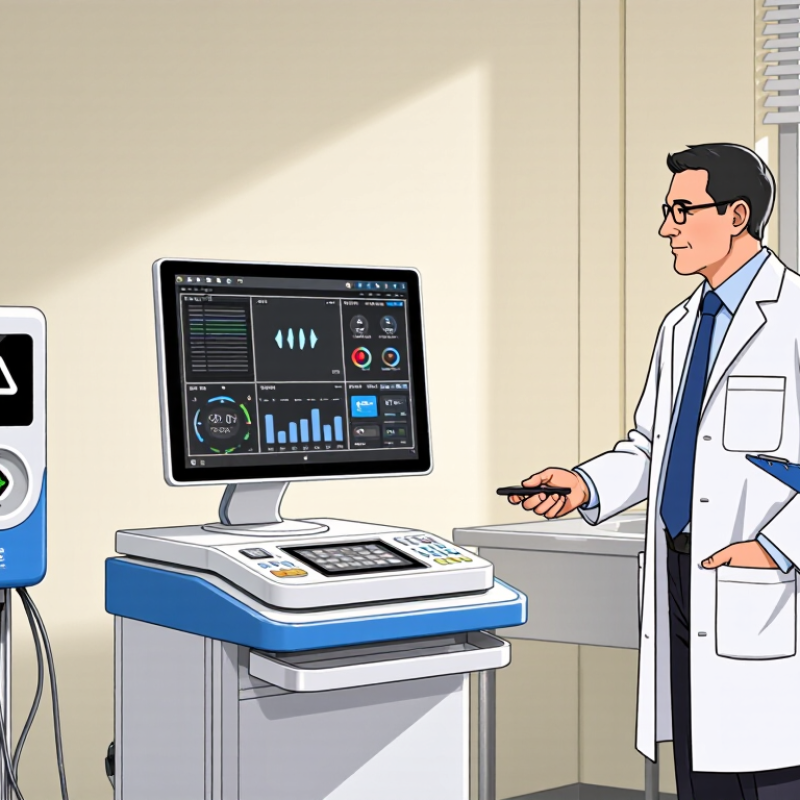
China Top Medical Device Software Troubleshooting Guide
Understanding Medical Device Software in China
Medical device software in China may run inside imaging systems, patient monitors, or clinical workstations. Its behavior depends on more than code. Chinese-language settings, date formats, network conditions, and hospital workflows can affect what users see. A delayed screen does not always mean the device itself has failed. Check the displayed message, affected function, and time of occurrence before drawing conclusions.
Keep device software distinct from general hospital IT. Confirm the software version and configuration against the device’s documentation. Record error messages and relevant steps, but protect patient information. Do not change clinical settings or install updates during active use unless approved procedures allow it. Local documentation and support pathways may vary, so verify the applicable instructions for the specific device. A tidy checklist can still miss a real-world detail. That gap matters.
Tips: Note the exact time, screen, and action before an error. Preserve logs when permitted. Follow the documented safe-use procedure, switch to an approved backup workflow if directed, and contact qualified support. Never guess at a fix.
Medical-device software faults are easier to manage when classified by what they disrupt. A display fault may hide a waveform or show stale readings. A data-interface fault can delay results between a monitor and a clinical record. A calculation fault may produce an implausible dose or measurement. Cybersecurity faults can affect availability or data integrity. The clinical risk depends on context: a delayed trend during routine observation differs from one during an unstable patient’s treatment.
For each incident, record the device function, software version, time, displayed value, and any workaround. Preserve screenshots and logs when permitted by local procedures. Check whether the problem repeats after a restart, but do not treat rebooting as proof of resolution. IBM’s 2024 Cost of a Data Breach Report puts the average healthcare breach cost at US$9.77 million and the healthcare breach lifecycle at 258 days. These are organizational measures, not estimates of patient harm. Still, they show why access and data-integrity faults deserve prompt escalation.
Triage should connect technical symptoms to possible clinical consequences. A frozen screen, missing timestamp, or unexplained unit change can matter more than a visible error message. Compare readings with an independent source when clinically appropriate, and follow the facility’s established safety process. Keep the affected function out of reliance until qualified staff confirm its status. This can feel overly cautious. Yet a clean display does not prove clean data, and that distinction is easy to miss during a busy shift.
Common software faults and their potential clinical risk
Scores use a qualitative 1–5 screening scale, where 1 indicates minimal potential harm and 5 indicates potentially severe harm. They reflect plausible clinical consequences, not measured incident rates or China-wide surveillance data. Actual risk depends on device intended use, clinical context, and available safeguards; risk management should follow applicable requirements, including ISO 14971 and IEC 62304.
When medical device software behaves unexpectedly, pause before changing settings. Protect the patient and follow the facility’s approved procedure. Note the exact screen message, time, device state, and recent action. A photo may help if local policy permits it. Small details matter.
Next, check observable conditions: power, network connection, date and time, user access, and whether the issue affects one workstation or several. Compare your findings with the current operating instructions. Do not bypass alarms, disable safeguards, or install unapproved updates. If patient care could be affected, use the established backup process and notify the responsible clinical and technical staff.
Reproduce the problem only in a safe, authorized test environment, never during active care. Change one factor at a time, then record the result. Review logs with qualified support staff, keeping device and software versions, timestamps, and steps together. If the fault remains, stop repeated attempts and escalate with the evidence collected. Real investigations are rarely tidy; a missing timestamp can send a team down the wrong path. Check the record before closing the ticket.
China Top Medical Device Software Troubleshooting Guide
When medical-device software behaves unpredictably, protect patients before attempting a fix. Follow the device’s approved procedure and move to a validated downtime workflow when needed. Do not disable alarms, alter thresholds, or install patches during active care without authorization. Stop. Preserve the evidence. Record the software version, device identifier, time of failure, displayed message, and steps already taken. Keep logs within approved access controls.
Use only documented corrective actions, then verify the result against the intended function. Check that alarms, data transfer, and user access work before returning the system to service. If the fault repeats, affects several devices, risks data integrity, or could harm a patient, escalate promptly to clinical engineering, the software supplier’s support channel, and the organization’s safety lead. FDA’s MAUDE database cautions that submitted reports do not establish causation or event rates, so treat a report as a signal to investigate, not proof.
Cybersecurity concerns also need careful escalation. IBM’s 2024 Cost of a Data Breach report estimated the average healthcare breach cost at $9.77 million, the highest sector average in its study. That figure is not a device-failure measure, but it underlines why teams should avoid sending unprotected logs or credentials. A rushed workaround can feel efficient. It may also hide the real fault; review the decision afterward.
China Top Medical Device Software Troubleshooting Guide
Verifying Repairs and Preventing Recurring Software Issues
A successful restart is not proof of a safe repair. After software work, verify the reported fault using the same steps, settings, and test data that exposed it. Then run relevant checks for alarms, data display, connectivity, and saved records. Compare results with approved acceptance criteria, and document software versions, changes, test outcomes, and unresolved limits. Keep the device out of clinical use until authorized personnel complete required checks.
Small details matter. A time-zone change, full storage, or interrupted network can reproduce a fault that disappeared during a brief test. Review event logs around the failure, while protecting patient information and following established access controls. If a repair changes data processing or alarm behavior, involve appropriate clinical and technical reviewers. Do not assume one clean test covers every workflow.
Tips: Use a repeatable checklist. Test normal and edge conditions, including power cycling and temporary connection loss. Save evidence before clearing logs. Track recurring symptoms by date, software version, and operating conditions. If the cause remains uncertain, pause deployment and escalate through the organization’s quality process. We sometimes rush this step; that is exactly when a “fixed” issue can return.
Practical verification checklist for medical device software support teams. Use the device’s approved specifications, intended use, risk controls, and applicable NMPA registration or filing information to set final acceptance criteria; the checks below are examples, not universal limits.
| Issue / symptom | Checks before repair | Repair verification | Evidence to retain | Recurrence prevention | Priority |
|---|---|---|---|---|---|
| Application freezes or closes unexpectedly | Record software build, device configuration, time of event, user actions, and relevant error logs. Check whether the fault is reproducible. | Run the documented workflow repeatedly in a test environment; confirm expected functions complete without a crash and that stored data remain intact. | Incident record, log extracts, test steps and results, software version, and configuration identifiers. | Trend crash reports by version and workflow; investigate recurring patterns through the established corrective and preventive action process. | High if care is interrupted |
| Incorrect, missing, or delayed data display | Compare source data, timestamps, units, patient or study identifiers, and display settings. Check for communication or synchronization errors. | Use approved test data to verify values, units, identifiers, and timestamps through the relevant input, processing, and display steps. | Test dataset reference, expected-versus-observed results, interface logs, and reviewer sign-off. | Include data-integrity checks in regression testing; maintain documented interface and configuration controls. | High |
| Device-to-system connection repeatedly drops | Check connection status, interface settings, network availability, device time, and communication logs. Confirm the fault is not due to an external network interruption. | Verify connection, disconnection notification, recovery behavior, and data transfer using the approved interface test procedure. | Connection logs, configuration snapshot, test results, and details of any network changes. | Control interface changes; review recurring communication errors and verify recovery behavior after software updates. | Medium–High |
| Software update fails or leaves an incomplete installation | Confirm the update package and target version are authorized for the device configuration. Check available storage, power stability, prerequisites, and backup status. | Confirm the installed version and configuration, complete the specified post-update functional checks, and verify the documented recovery or rollback process where applicable. | Package identifier, installation log, version record, backup and recovery outcome, and post-update checklist. | Use controlled release procedures, validated update instructions, and a documented contingency plan before deployment. | High |
| User cannot sign in or permissions appear incorrect | Check account status, role assignment, authentication logs, time synchronization, and recent approved access-control changes. Avoid sharing credentials. | Test authorized and restricted actions with designated test accounts; confirm the correct access outcome and that audit events are recorded. | Access-control test results, relevant audit entries, change approval, and account-action record. | Review role assignments periodically and follow approved account provisioning, modification, and deactivation procedures. | Medium–High |
| Reports or records fail to save, export, or print | Check storage capacity, destination permissions, export settings, queue status, and system logs. Preserve the original record during investigation. | Create and retrieve a test record; verify exported or printed content against the source, including identifiers, units, and relevant timestamps. | Source and output comparison, storage or queue logs, test record reference, and resolution details. | Monitor storage and output queues; include save, retrieval, and export functions in routine regression tests. | Medium–High |
| Performance degrades over time | Record response times under a defined workflow; review resource use, storage growth, background tasks, and recent configuration changes. | Repeat the same representative workload before and after repair; compare results with approved performance requirements for that device and configuration. | Workload description, measurement method, before-and-after results, configuration, and test environment. | Track performance trends and define maintenance or escalation triggers using the device’s approved specifications. | Medium |
| Alarm, warning, or notification does not behave as expected | Review configured limits, alarm state, notification routing, event logs, and approved alarm behavior. Do not suppress or alter alarms outside authorized procedures. | Use the specified test method to confirm trigger, display, audible or visual indication where applicable, acknowledgement, and return-to-normal behavior. | Test conditions, expected and observed behavior, event logs, configuration record, and authorized reviewer approval. | Include alarm-path checks in scheduled verification and after relevant software or configuration changes. | High |
Close an issue only after documented verification and required approval. Escalate suspected patient-safety impact, data-integrity concerns, or recurring failures through the organization’s established quality and safety reporting procedures.
Pause before changing settings. Protect the patient and follow the facility’s approved procedure.
Note the exact screen message, time, device state, software version, and recent actions. A permitted photo may help.
Check power, network connection, date and time, and user access. See whether the problem affects one workstation or several.
No. Reproduce it only in a safe, authorized test environment. Change one factor at a time and record each result.
Do not bypass alarms, disable safeguards, alter thresholds, or install unapproved updates. Stop. Save the evidence.
Use the established backup process when patient care could be affected. Notify the responsible clinical and technical staff.
Escalate if it repeats, affects several devices, risks data integrity, or could harm a patient. Share findings with qualified support staff and the safety lead.
Use documented corrective actions, then verify alarms, data transfer, and user access. Teams can be too quick to call it fixed.
Keep logs within approved access controls. Do not send unprotected logs or credentials; review the chosen workaround afterward.
This guide explains how medical device software supports clinical workflows in China and why even minor faults can affect safety, data integrity, or service continuity. It outlines common issues such as failed updates, connection interruptions, configuration errors, and unexpected alerts, while emphasizing that each problem should be assessed according to its potential clinical risk. How to troubleshoot common software issues in medical devices? Begin by documenting the symptoms and device status, checking approved user guidance and basic settings, and determining whether the issue can be addressed safely without disrupting patient care.
The guide also presents a cautious troubleshooting workflow: protect patients, preserve relevant information, and involve qualified technical personnel when a fault is persistent or high risk. Corrective actions should follow established procedures, with escalation when the cause is unclear or safety may be affected. After a repair, verify normal operation before returning the device to service, record the outcome, and review recurring problems to help prevent future incidents.